
Grid RevInt
Subscription revenue that shows its working.
Grid RevInt connects to Stripe and turns your billing history into MRR, churn and cohorts. Every figure is an opening balance plus its movements, and every movement leads back to the invoice that produced it.
REVENUE DASHBOARD
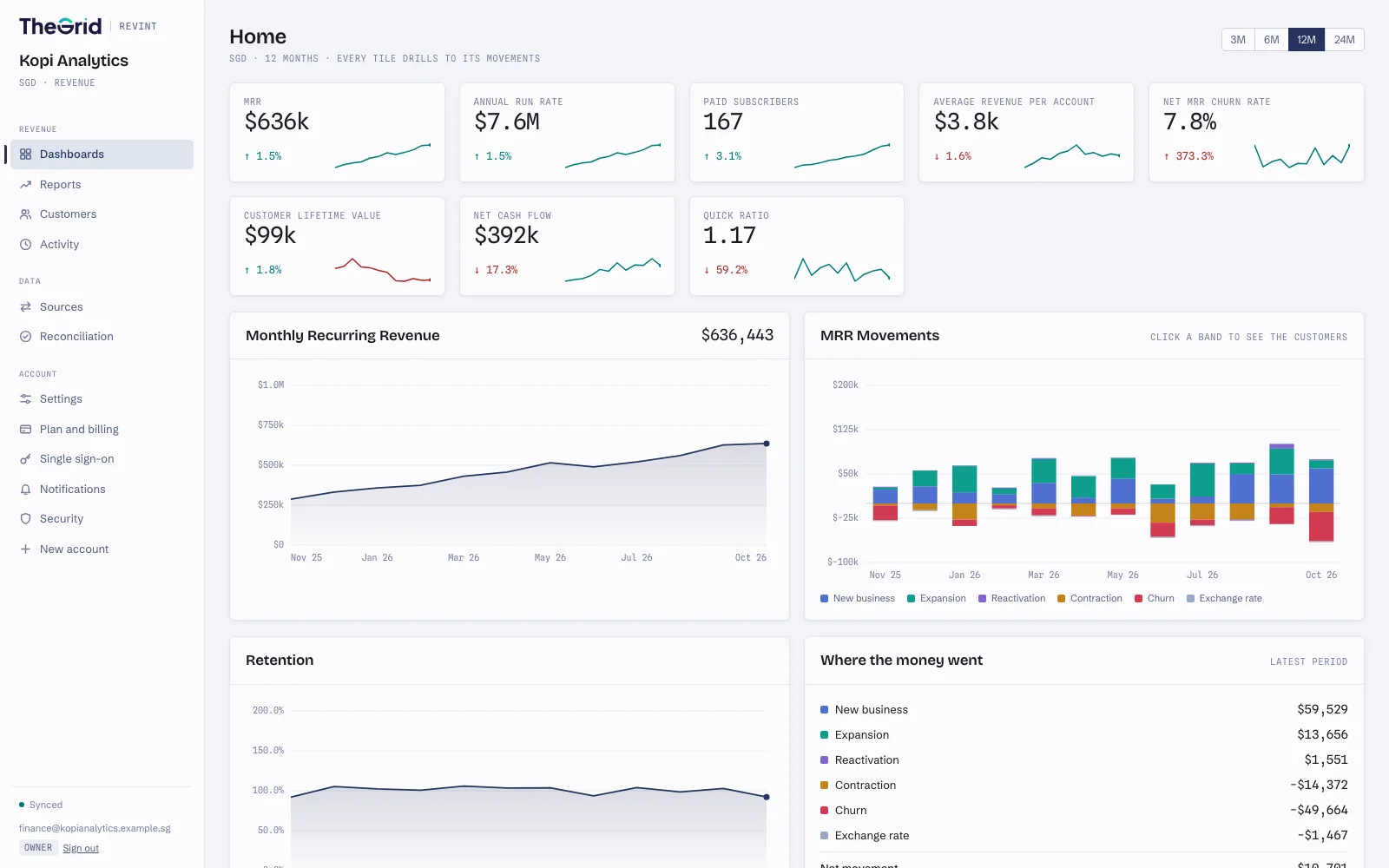
Demo company on synthetic data
Everything a finance team reports on.
Connect Stripe once. These are ready the first time the history has synced, with no spreadsheet to rebuild each month.
Core metrics
MRR, annual run rate, average revenue per account, lifetime value, quick ratio and churn rates.
Movements
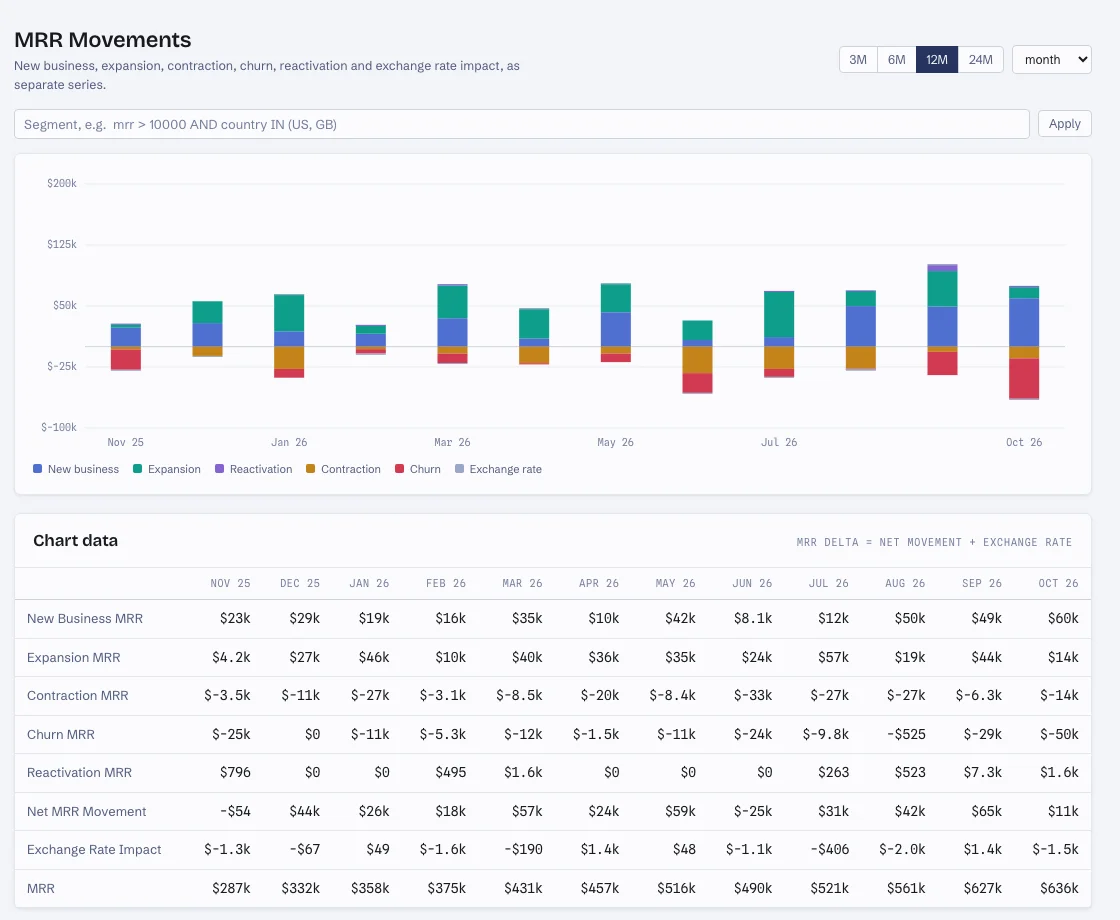
New business, expansion, contraction, churn, reactivation and exchange rate, month by month.
Cohorts
Customer, net MRR and gross MRR retention by the month each customer signed up.
Segments
Narrow any report with a segment, such as MRR above a threshold or a set of countries.
Customer records
Each customer's subscriptions, invoices, lifetime cash and the movements it produced.
Alerts
A weekly digest, an alert when a large customer churns, and a notice when a source stops syncing.
Click any number, reach the invoice.
MRR is last month's MRR plus this month's movements: new business, expansion, contraction, churn, reactivation and exchange rate. Click a tile to see its movements, click a movement to see the customers, and open a customer to see the subscriptions and invoices behind it.
Exchange rate impact is a movement of its own, so a business that bills in several currencies can tell lost customers from a moving dollar.
MRR MOVEMENTS
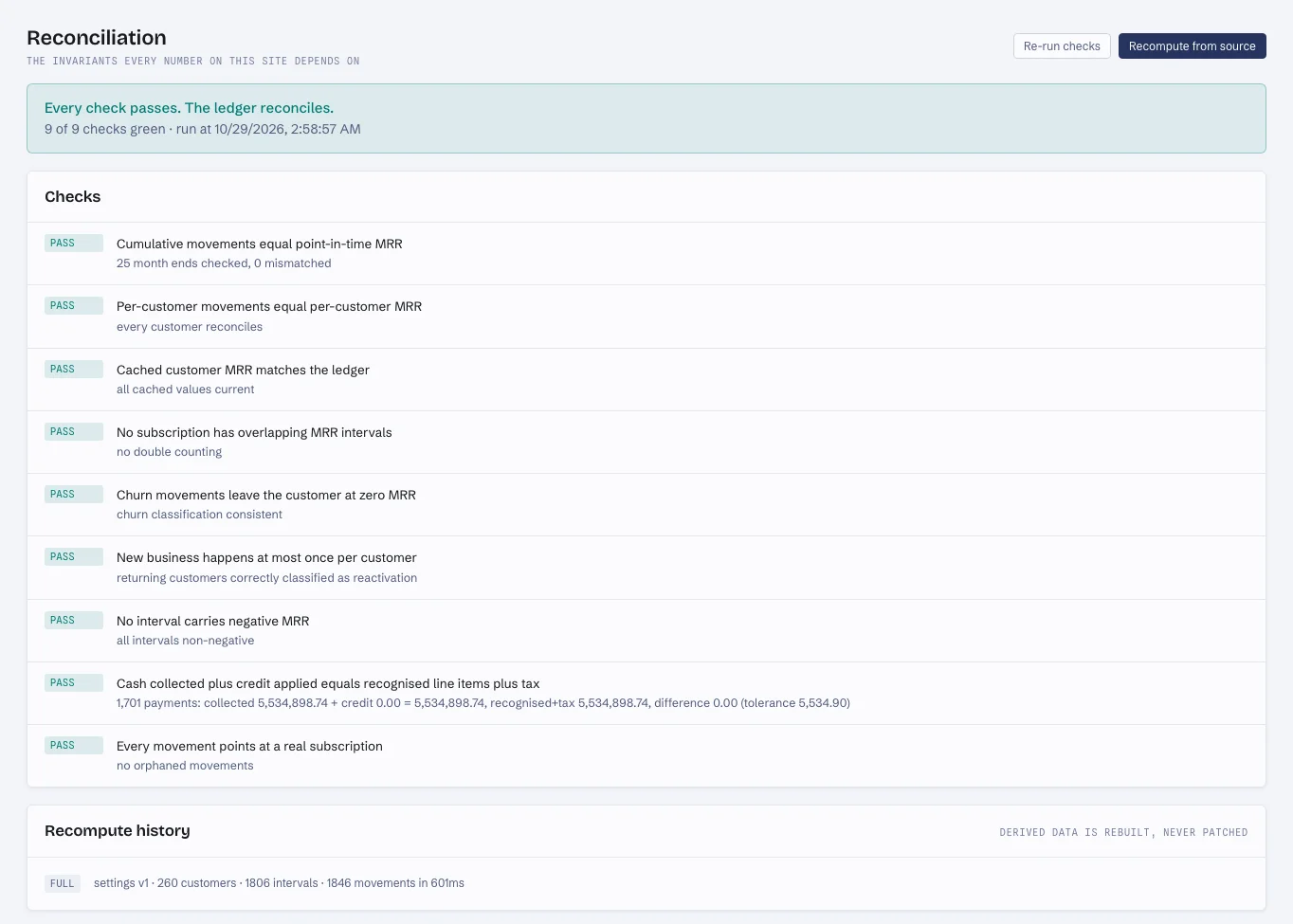
The ledger has to balance, and it checks.
Nine reconciliation checks run against your data whenever you ask: movements add up to MRR at every month end, for the business and for each customer; no subscription is counted twice; churn leaves a customer at zero; and cash collected matches what was invoiced.
A failing check names the rows behind it, so a number that cannot be explained turns up here before it turns up in a board pack.
RECONCILIATION
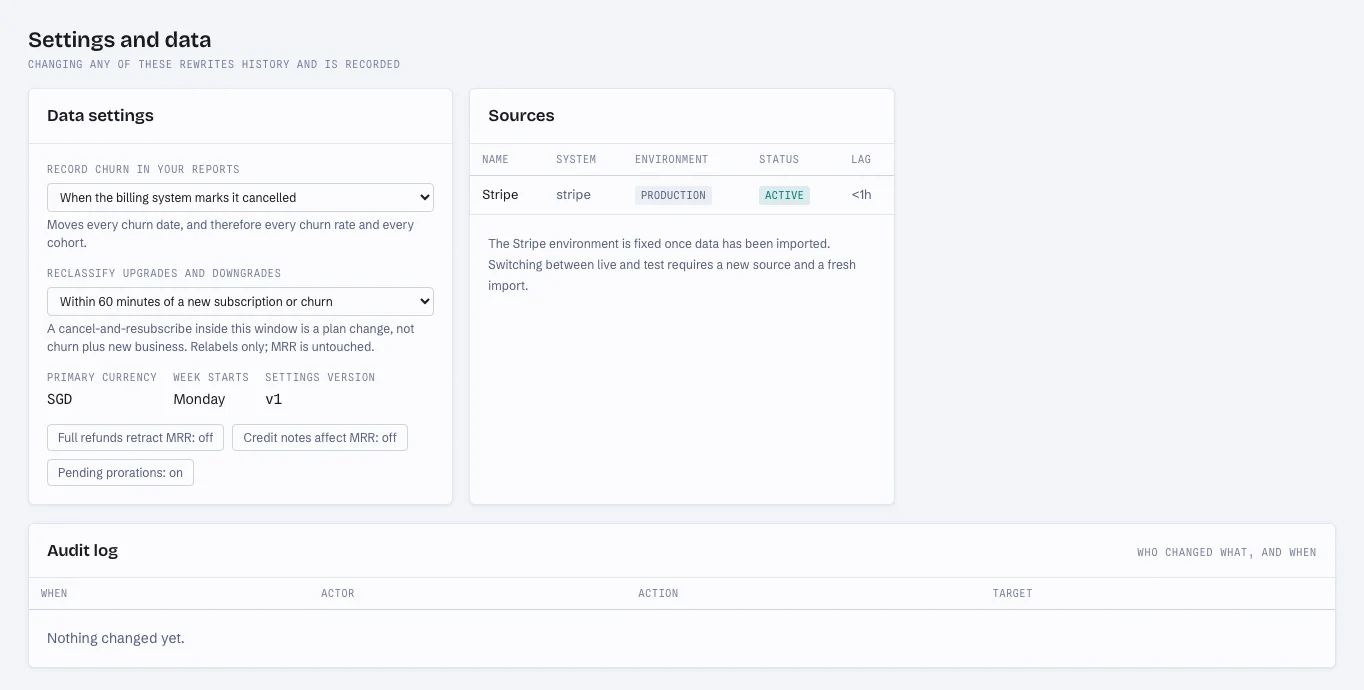
Churn recognition is a setting, not an opinion.
Count churn when the billing system marks a subscription cancelled, at the end of the paid period, or as soon as a cancellation is scheduled. Change the rule and every churn rate and cohort is recomputed from source.
Prorations are netted rather than double-counted, refunds and credit notes can adjust MRR, and every change to these settings lands in the audit log.
DATA SETTINGS
Security that survives procurement.
What a security review asks about, built into the product: who can sign in, whose data they can see, and what the app can touch.
Single sign-on
OIDC or SAML, with SCIM provisioning. Deactivating someone in your identity provider ends their sessions at once.
Passkeys and authenticator codes
Two-factor sign-in with a passkey or an authenticator app.
Row-level security
Postgres keeps each account's data apart, and the application's own database role cannot bypass it.
A key per account
Each account's stored credentials are sealed with its own key. Destroy the key and they are unreadable, backups included.
Read-only Stripe access
The Stripe connector has no write calls, so Grid RevInt cannot create, change or refund anything.
Audit log and IP allowlists
Every settings change is recorded with who made it, and API keys can be limited to your network ranges.
From Stripe to a reconciled ledger in three steps.
- 1
Connect Stripe
Create an account with your work email, then authorise through Stripe Connect or paste a restricted key; permissions are checked the moment you save. If someone else holds the Stripe login, send them a one-time link.
- 2
We build the ledger
Invoices, prorations, refunds and currencies become a ledger of movements, and the source keeps syncing on a schedule.
- 3
Every number shows its working
Open a dashboard and follow any figure down to the customers and invoices behind it.
Questions finance teams ask.
- Create an account at revint.gridapp.io with your work email and company name. We email you a link to choose a password; then connect Stripe and invite your team, each with one of six roles, from read-only charts to owner.
- Stripe. It reads your Stripe account through Stripe Connect or a restricted key you create.
- No. The Stripe connector only reads. It has no code that creates, changes or refunds anything.
- Each account reports in one currency. Customers billed in other currencies are converted at monthly exchange rates, and the effect of a rate change shows as its own movement rather than as growth or churn.
- You choose: when the billing system marks the subscription cancelled, at the end of the paid period, or as soon as a cancellation is scheduled. Changing the rule recomputes every churn rate and cohort.
- Yes. Grid RevInt supports OIDC and SAML single sign-on, SCIM provisioning, passkeys and authenticator-app codes.
See your revenue show its working.
Create an account with your work email and connect Stripe when you're ready. Then invite your team, each with the access they need.
- Read-only Stripe access
- SSO and SCIM
- Row-level security
- Audit log