How to Send Emails in Bulk

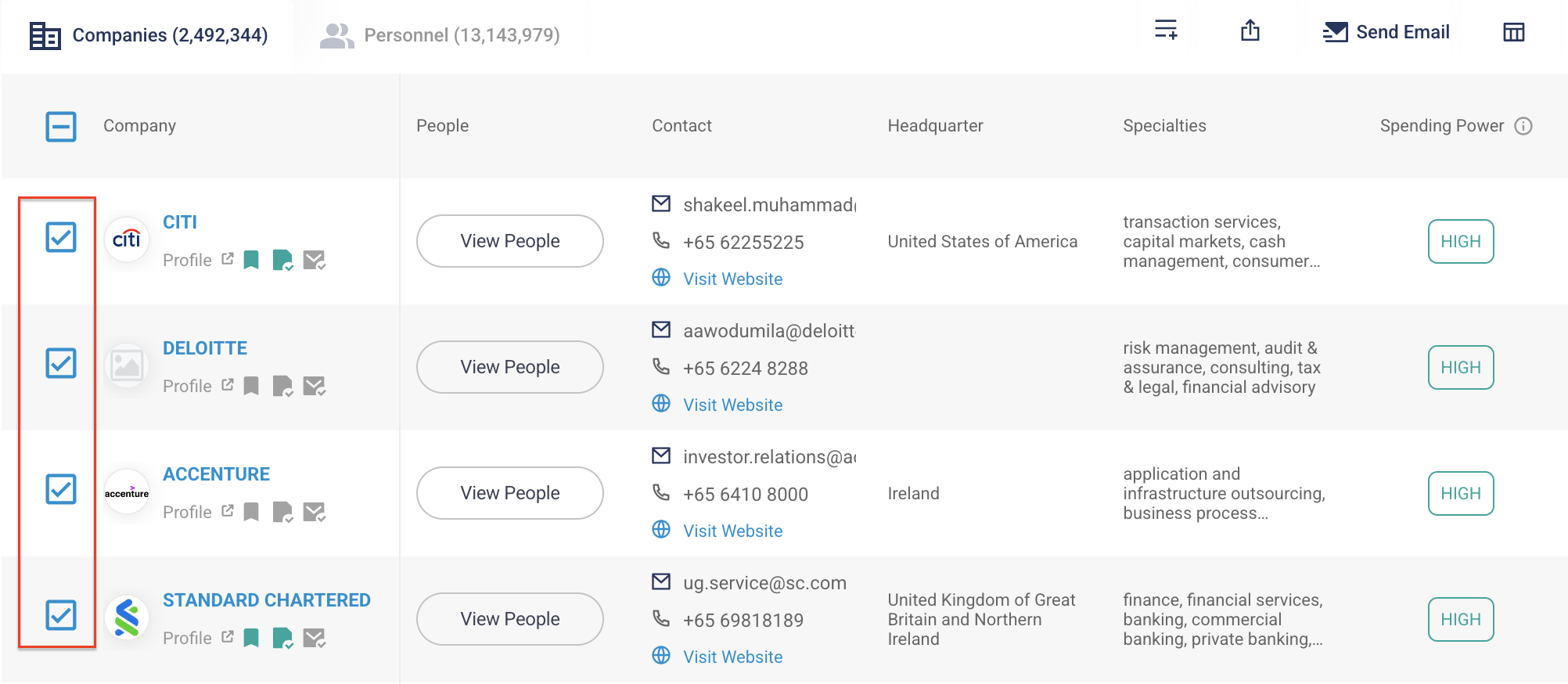
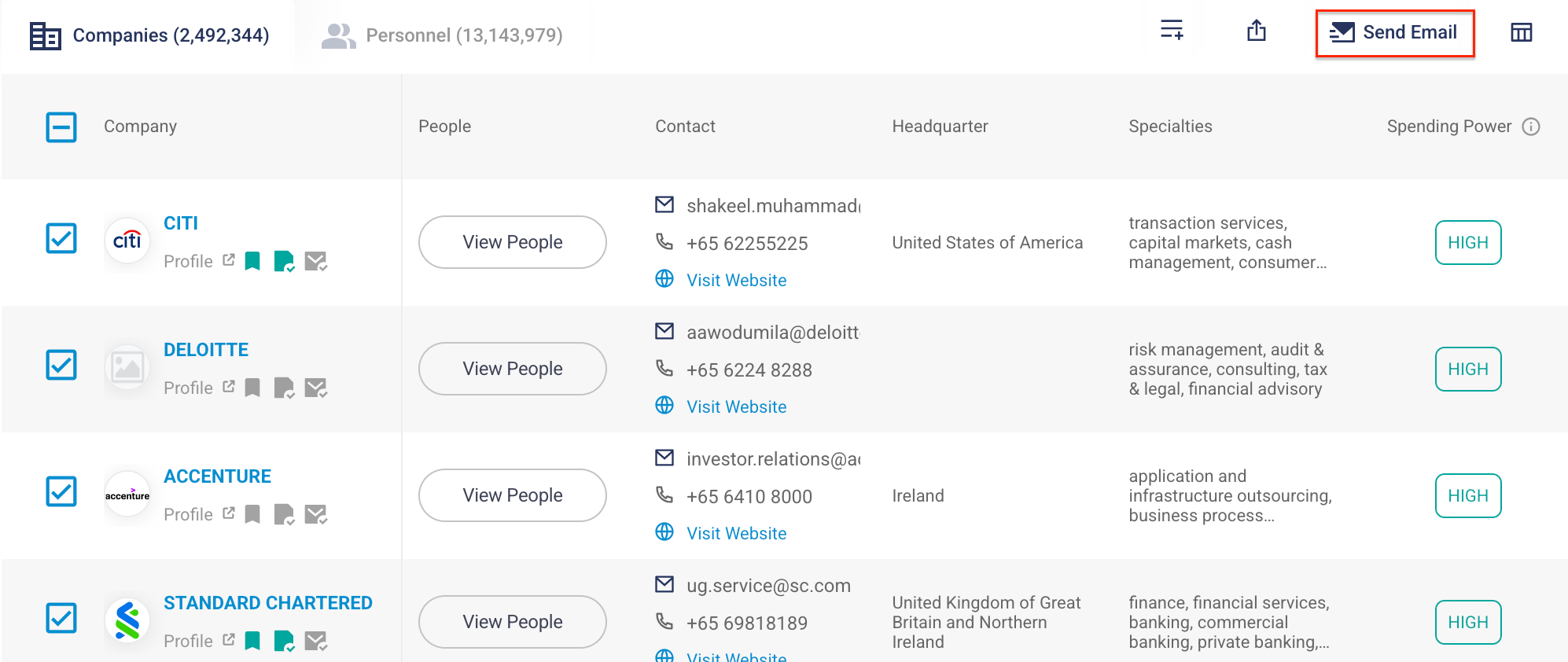
Step 1: Select the records you wish to send emails to. You can choose either a list of company records or personnel records.
✋
The bulk selection only works within the respective Company or Personnel tabs. You cannot mix company and personnel records in the same selection.
Step 2: Click on the Send Email icon.
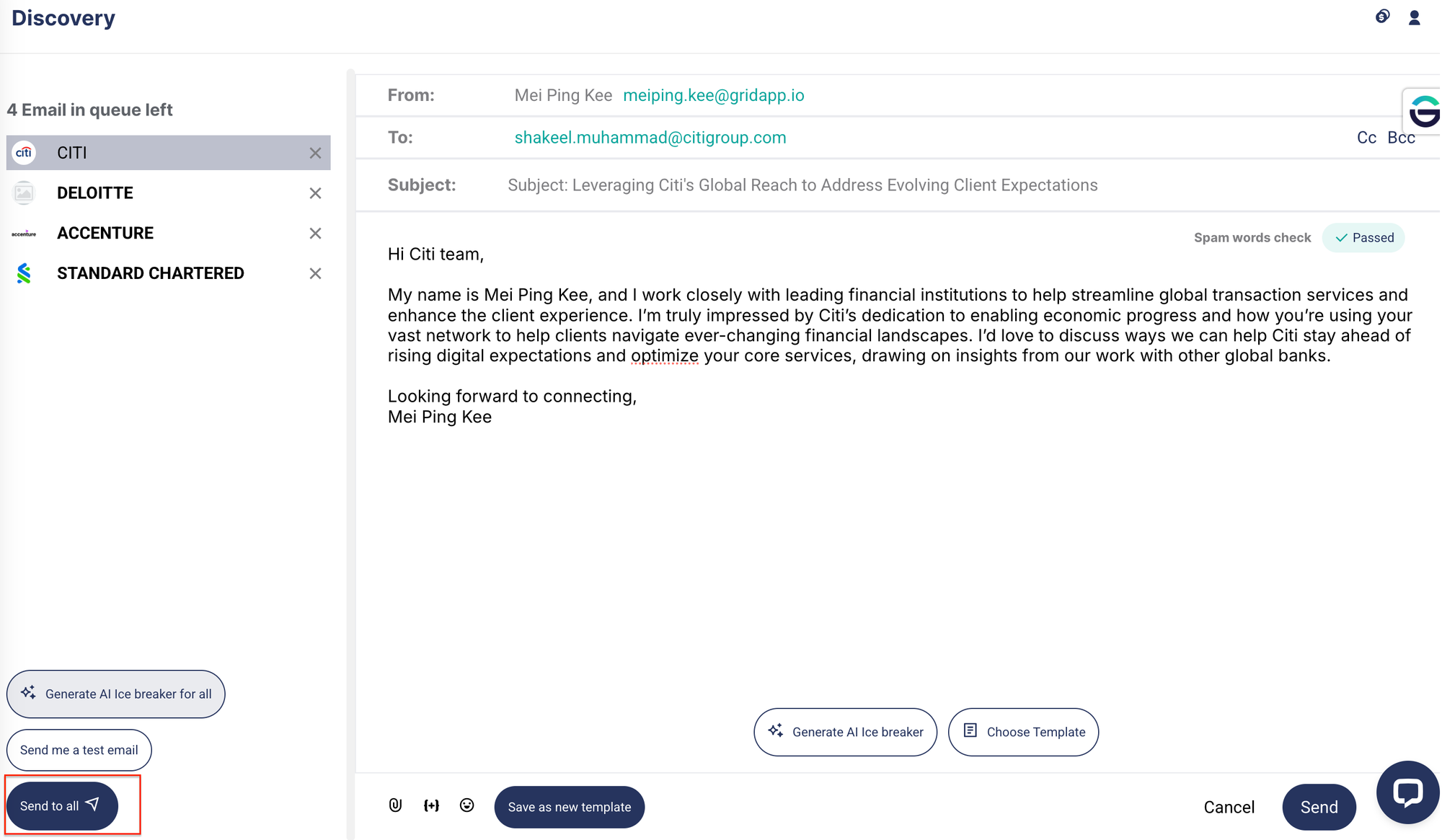
Step 3: Compose your email.
There are several ways to compose your email:
a) Use the AI email generator to create relevant content for each recipient.
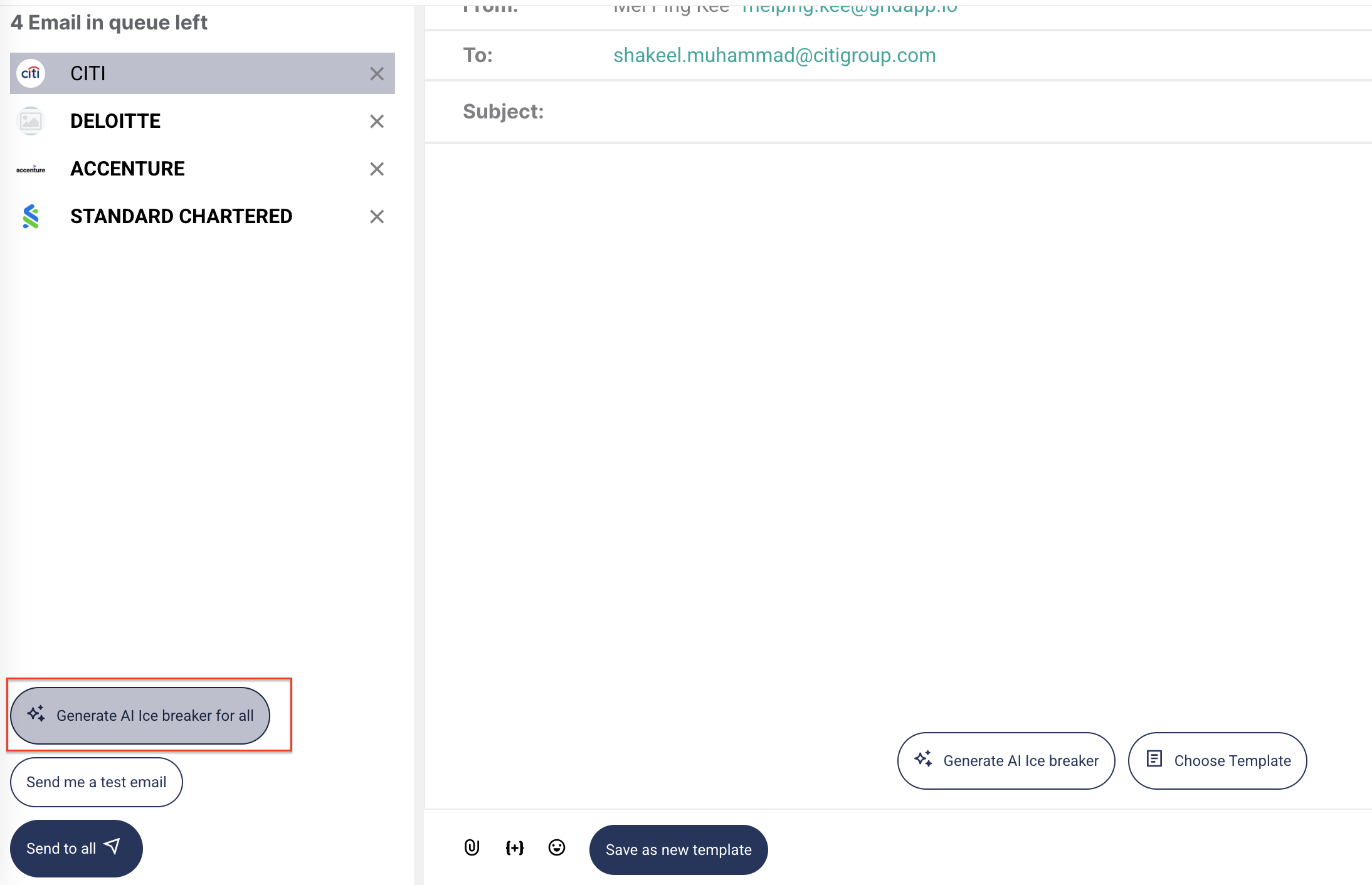
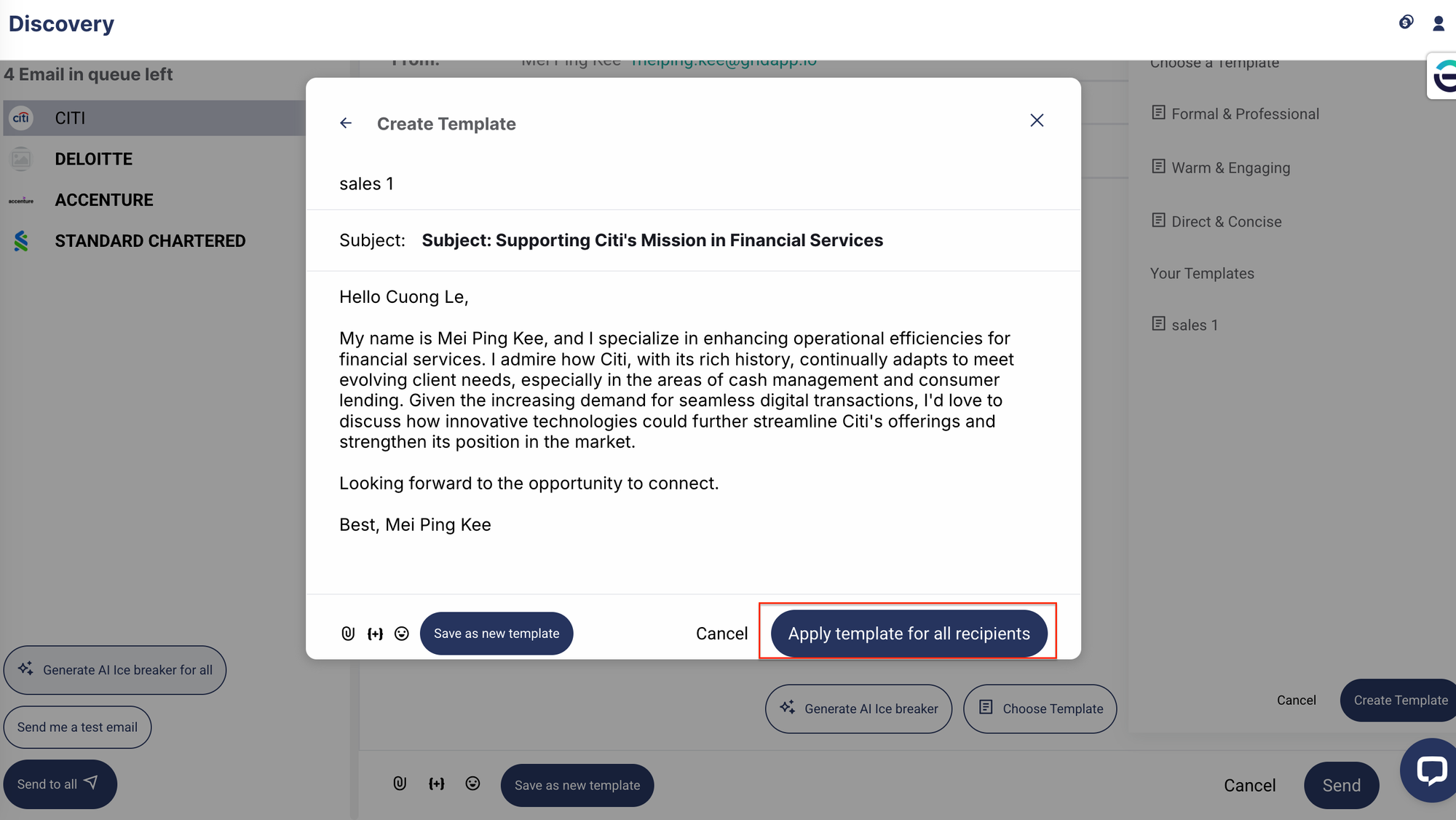
b) Apply a saved email template, or create a new one and apply it across all selected recipients.
c) Manually compose an email for each recipient.
Step 4: Once all email content is ready, click Send to All to deliver your emails.